Display

The CSS property display sets how to display the given element. Elements have default display settings based on the element. The default display value usually for elements are block or inline.
Block level elements

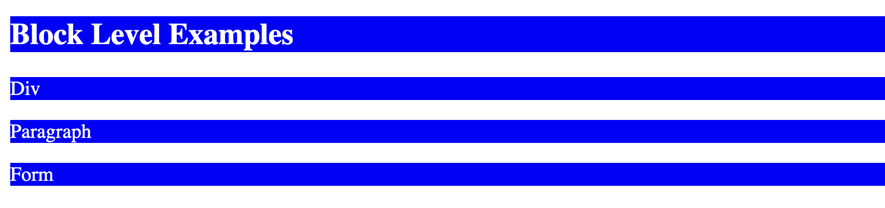
Elements with property display: block always start from new line and takes up all the width it can. Some examples of block level elements:
<div><h1> - <h6><p><form>
Example
HTML
<!-- Examples of block elements -->
<!-- These always start from new line and take all the width they can. -->
<h2 class="block">Block Level Examples</h2>
<div class="block">Div</div>
<p class="block">Paragraph</p>
<form class="block">Form</form>
CSS
Output
Inline elements

Inline elements do not start from new line and only take as much space as is required. You cannot set the width and height for an inline element. Some examples of inline elements:
<span><a><img>
Example
HTML
<!-- Examples of inline elements -->
<!-- Do not start from new line and take only the space required -->
<!-- You cannot set width or height for these elements -->
<span class="inline">Span</span>
<a class="inline" href="#">Link</a>
<br /><br />
CSS
Output

Inline block elements

Elements with display property set to inline-block do not start from new line and take up only the space they require. Inline-block elements can have width and height. These elements are great if you require some elements to be going next to each for which you want to define some width, height, margin or padding.
HTML
<!-- Examples of inline-block elements -->
<!-- Same as inline, but can have width and height -->
<!-- Can be used to create layouts -->
<div class="inline-block inline-block-1">
    First inline-block
</div>
<div class="inline-block inline-block-2">
    Second inline-block
</div>
CSS
.inline-block {
  display: inline-block;
  background: green;
  color: white;
}

.inline-block-1 {
  width: 40%;
}

.inline-block-2 {
  width: 40%;
  background: red;
}
Output

Hiding Elements

You can set display: none for a element to hide it. This will completely hide the element and the element will not take up any space on your site.
Another way to hide your element where the element will still take up it's own space is using the visibility: hidden property.