HTML Element Anatomy
Our website contains multiple HTML elements. Each of our HTML element can have starting and ending tags or can be self-closing.
In order to better understand the syntax of HTML, let's break down the syntax of a html element.
Basic Example
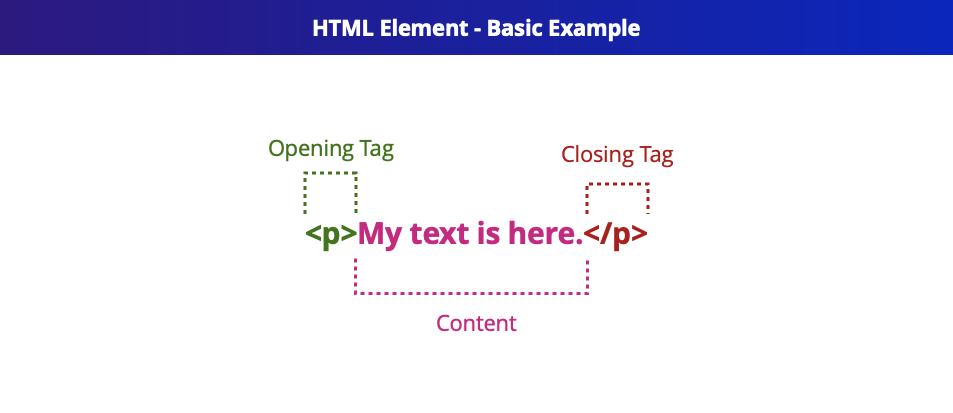
Example of basic <p> tag. This tag has starting and ending tags. In this case the content is just text, but this could be anything else like other nested elements. Ending element always start with a slash.
Basic Example - Self-Closing / Empty / Void Element
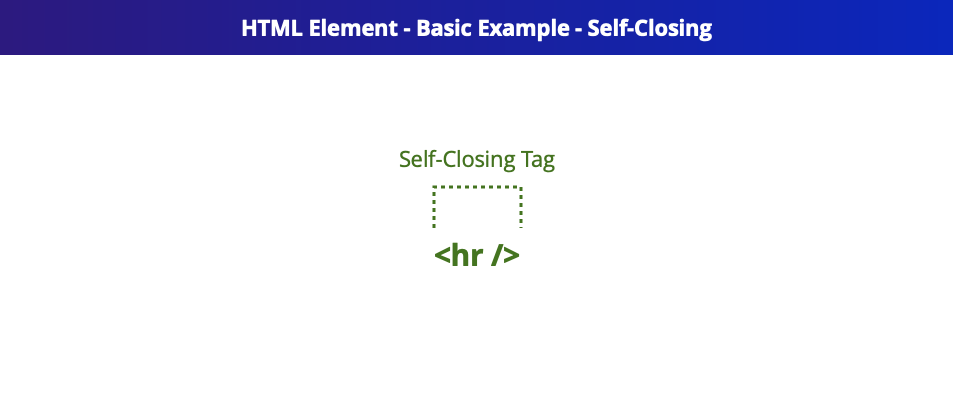
Some HTML elements like <br />, <img />, <hr />, <input /> are self-closing / empty / void elements. They start and end at the same time. HTML5 specification talks about void elements, but we can also call these self-closing or empty elements as all of them are widely used terms throughout the internet.
Advanced Example

Some commonly used attributes for elements are: - id and class: These can be used to add further css styling for an element - title: Can be used to add a tooltip for an element